This article applies to BOOST EMPOWER GUEST (free) licenses
Purpose of the article
To assign tasks to your collaborators and partners in connection with a document, Cooperlink allows you to create a task related to the document. This gives you a complete management system without having to duplicate your documents.
Would you like to submit a document for third-party approval?
The task allows you to request approval simply. However, when the approval circuit is complex (several stakeholders with a predetermined sequence, generation of a header page, etc.), it is recommended to use the Workflows module that will distribute the tasks and automate the process in a more structured way.
Create a linked task
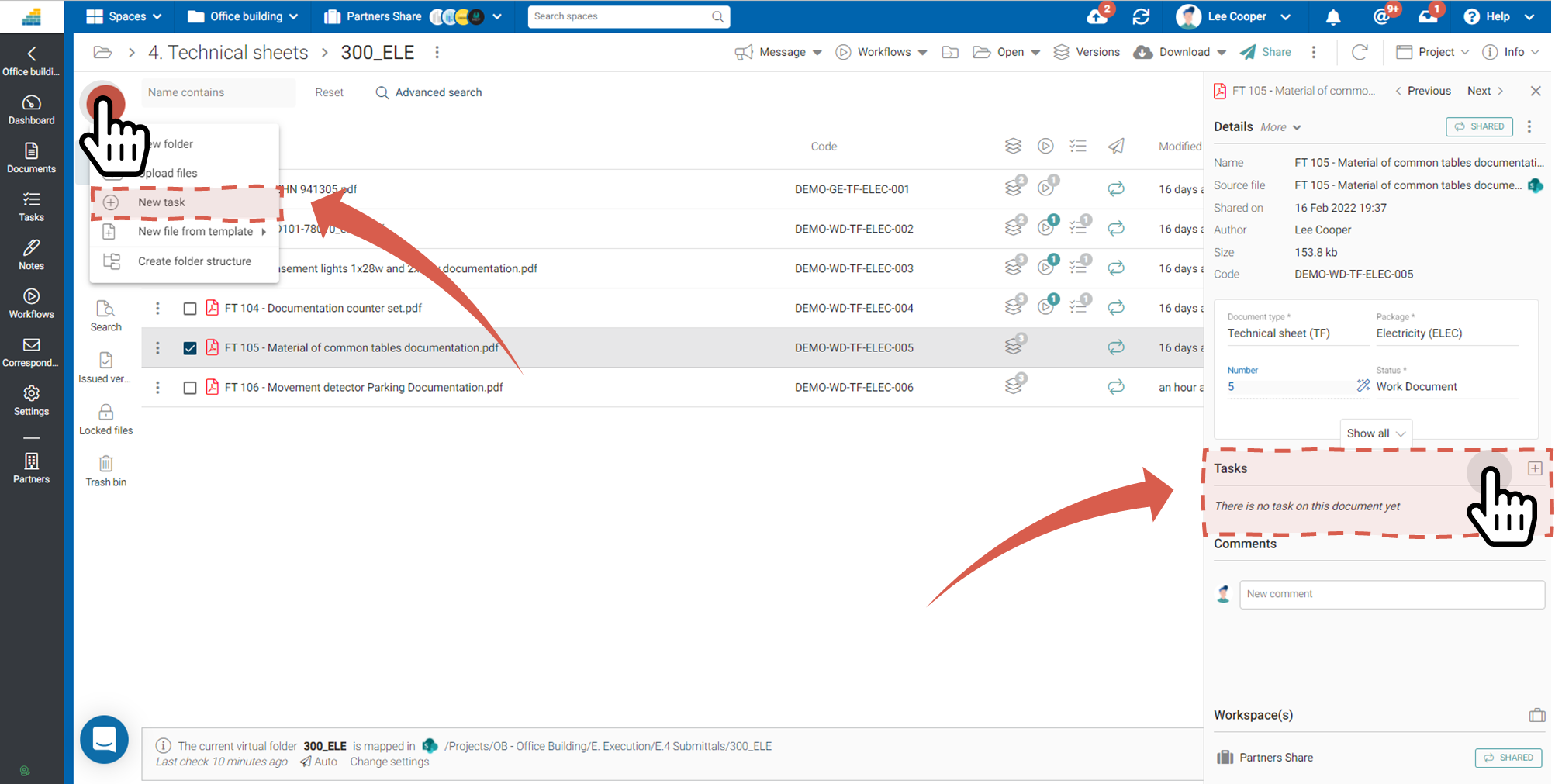
Select the document and then click:
- The red button + > New Task
- In the information drawer, Tasks section
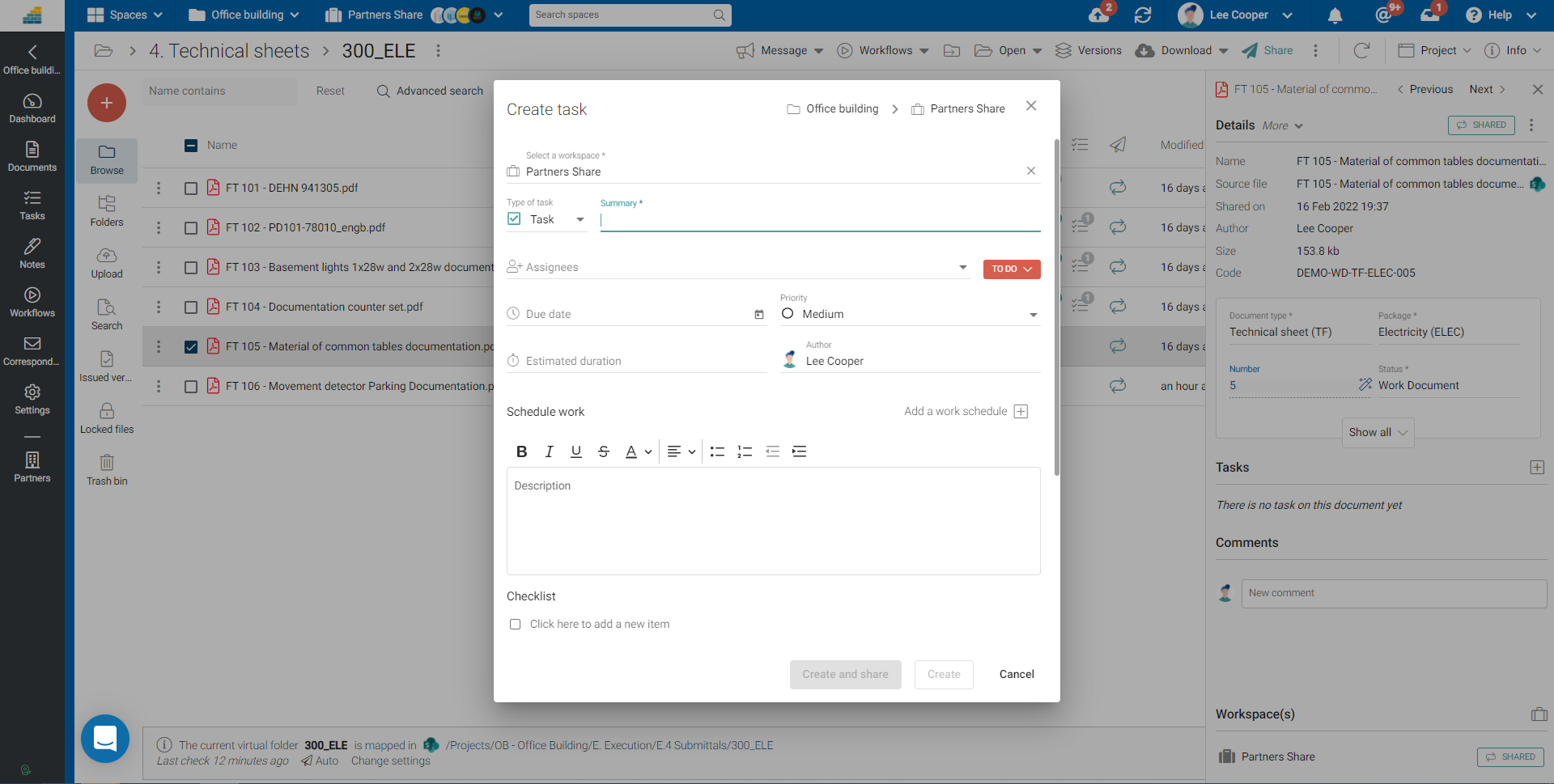
Fill out the form
Fill out the form:
- Workspace is automatically selected*
- Describe the task in the form of a summary
- Assign it to users or partners
(*) required fields
Then validate. When the task is part of a collaborative workspace, Cooperlink prompts you to choose between
- create a task (internal)
- or share the task with partners.