
This article applies to BOOST EMPOWER licenses
Purpose of the article
Cooperlink is a project-oriented application. To be able to use a project it is necessary to create it beforehand.
Project space vs workspace?
For more information on the subject, go to article Définition des espaces projet et de travail
Prerequisite
The creation of a project space requires the Project Manager right or the Administrator right. Please inquire with your IT referent.
Procedure
Create or import a new project
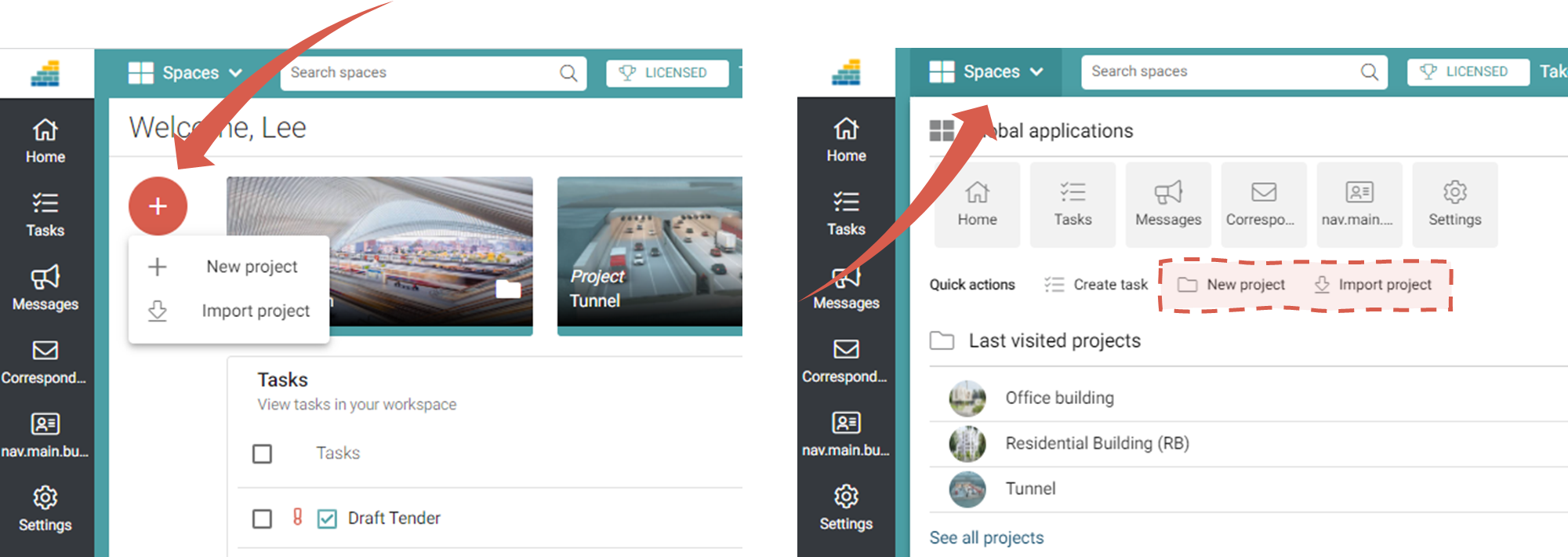
To create or import a new project,
- from the main screen, click the red button, then Create Project or Import Project
- from any screen, click Spaces button, then Create Project or Import Project
Create an empty project
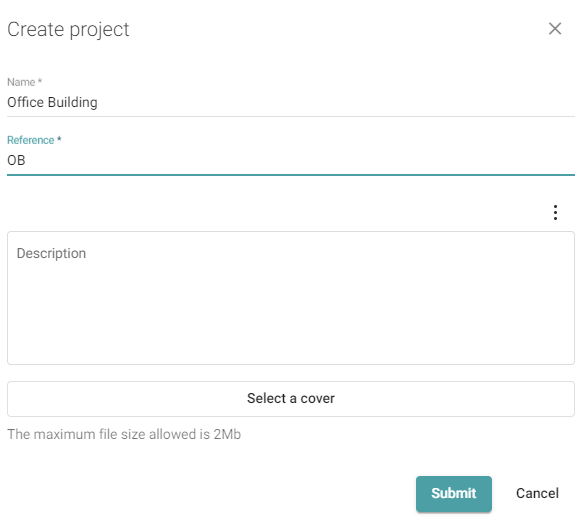
Complete the form with the name of the project, its short name and a cover photo.
Choose a representative short name!
Use your internal project reference or a representative and unique project code name. This short name will appear as an identifier of the tasks (e.g. OB-1). It will also be used as a filtering criterion when searching for the project library start directory.
This short name cannot be changed afterwards!
This short name cannot be changed afterwards!
Import a project
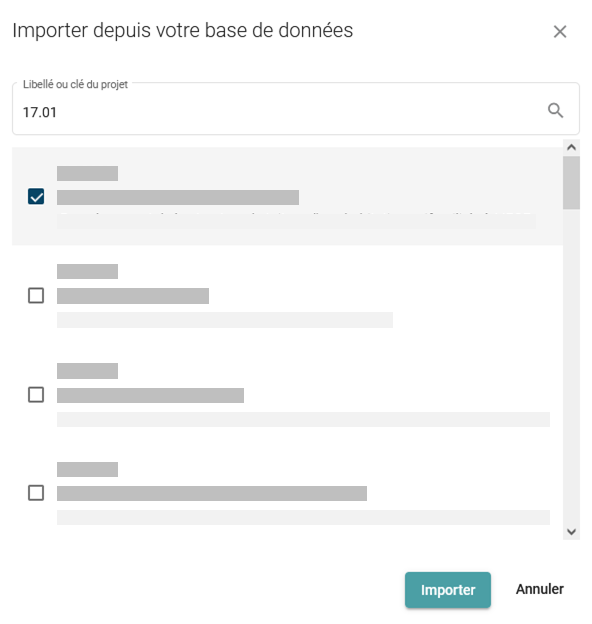
Select the project from the list that appears. You can also filter the list based on the project's abbreviated name or name.
Configure the project
To configure or verify the configuration of your newly created project, go to Configurer un nouveau projet en mode manuel (+ checklist)