This article applies to BOOST EMPOWER GUEST (free) licenses
Cooperlink's inbox allows you to be informed of your partners' activity. If you don't read today's notifications on Cooperlink, a single email is sent to you the next morning to let you know.
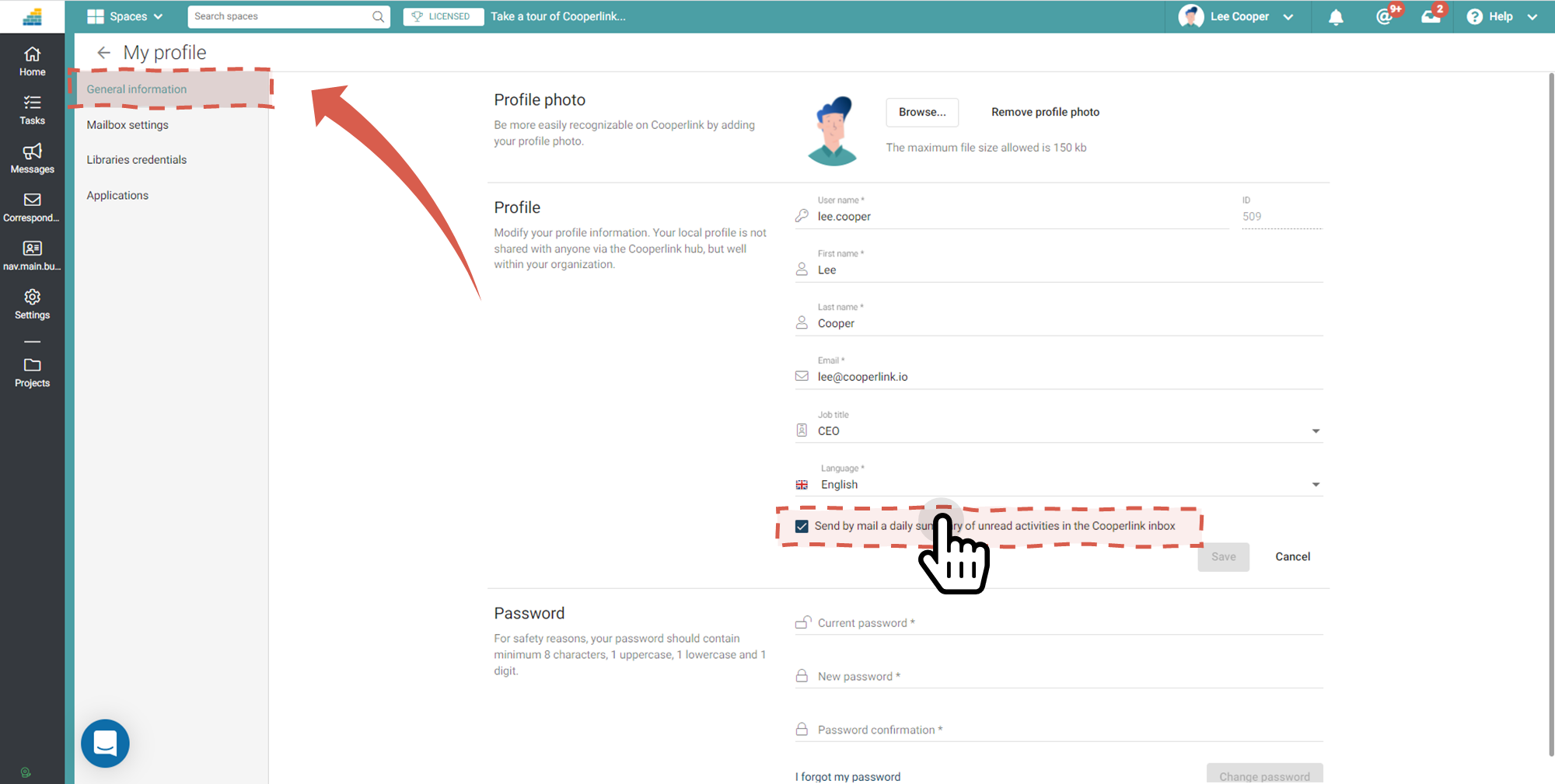
Want to enable or disable this daily email?
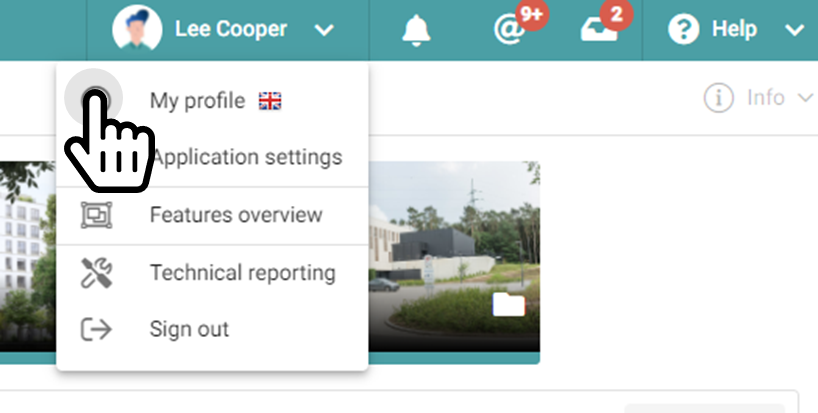
1. Click on your name at the top right and then choose My Profile.
The General Information section then allows you to disable the daily summary of unread notifications.
Don't forget to press the Save button.